Desktop GUI
Vykar includes a desktop GUI for managing repositories, running backups, and browsing/restoring snapshots. It is built with Slint.
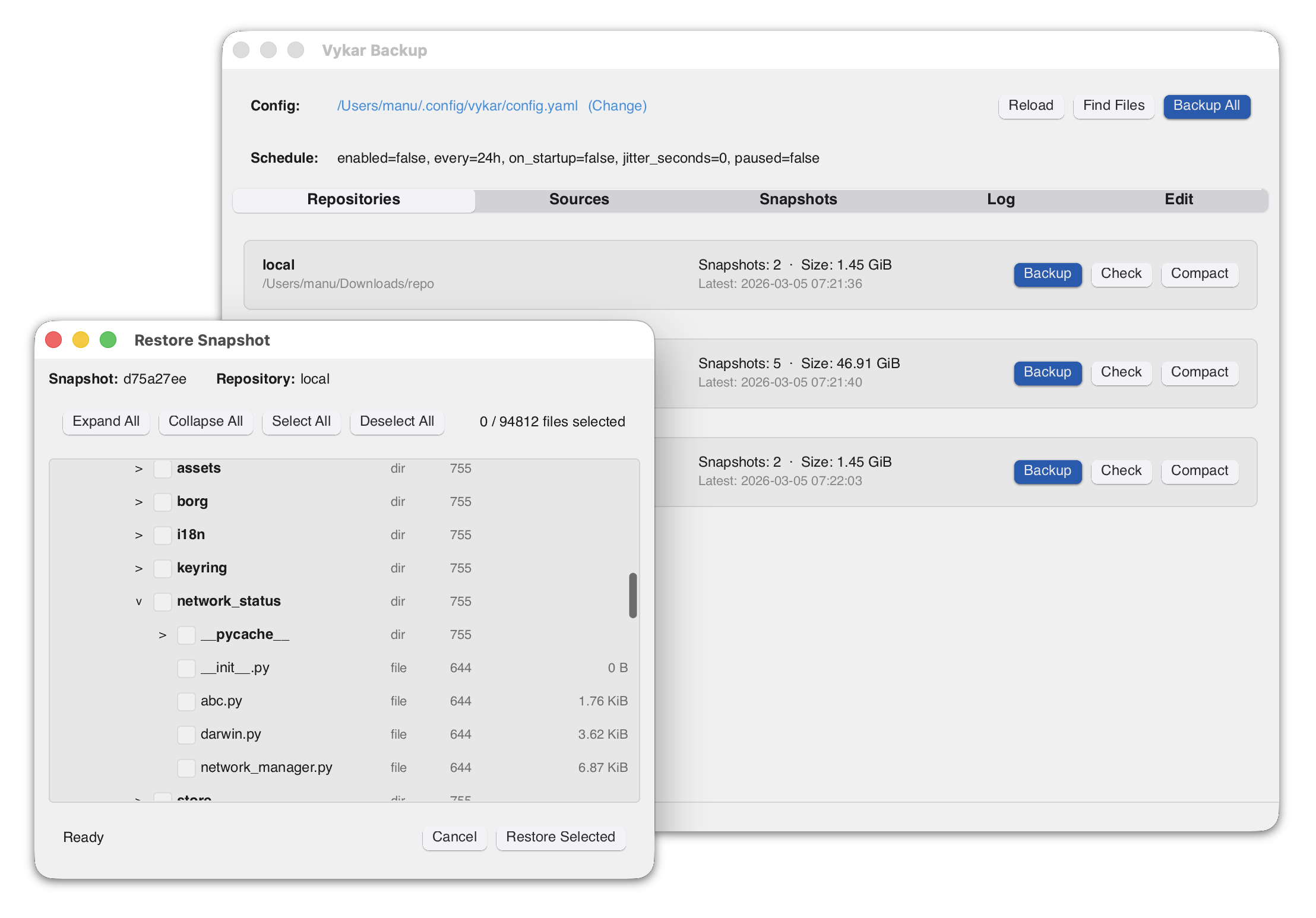
Installing
macOS
A signed app bundle (Vykar Backup.app) is included in the release archive. Download the latest release from the releases page, extract it, and drag the app to your Applications folder.
Linux
Download the AppImage from the releases page. It bundles most dependencies and runs on x86_64 Linux distributions with glibc 2.39+ (Ubuntu 24.04+, Fedora 40+, Arch, etc.):
chmod +x vykar-gui-*-x86_64.AppImage
./vykar-gui-*-x86_64.AppImage
AppImages require FUSE 2 to run. If you get a FUSE-related error, either install it or use the extract-and-run fallback:
# Install FUSE 2 (Ubuntu 24.04+)
sudo apt install libfuse2t64

# Or run without FUSE
APPIMAGE_EXTRACT_AND_RUN=1 ./vykar-gui-*-x86_64.AppImage
Alternatively, the Intel glibc release archive includes a bare vykar-gui binary. It needs fontconfig, FreeType and xkbcommon at runtime, which desktop distributions already ship.
The tray icon uses the StatusNotifierItem protocol, so the desktop needs a tray host for it. KDE Plasma, Xfce and most other desktops include one; GNOME needs the AppIndicator extension.
To build from source, install the development headers:
sudo apt install libfontconfig1-dev libfreetype-dev libxkbcommon-dev
cargo build --release -p vykar-gui
The binary is at target/release/vykar-gui.
Windows
The GUI is included in the Windows release archive. Download the latest release from the releases page and extract vykar-gui.exe.